How to Lookup a PO Number if You Have a Requisition
Follow these steps to look up a Purchase Order Number (PO #) associated with a UCIBuy+ requisition.
- Locate the UCIBuy+ requisition. See the instructions for help with finding your requisition in UCIBuy+.
- In the Requisition, view the Related Documents section. The purchase order number will be displayed in this area. Purchase orders in UCIBuy+ are duplicated in KFS, and both versions of the PO share the same document number.
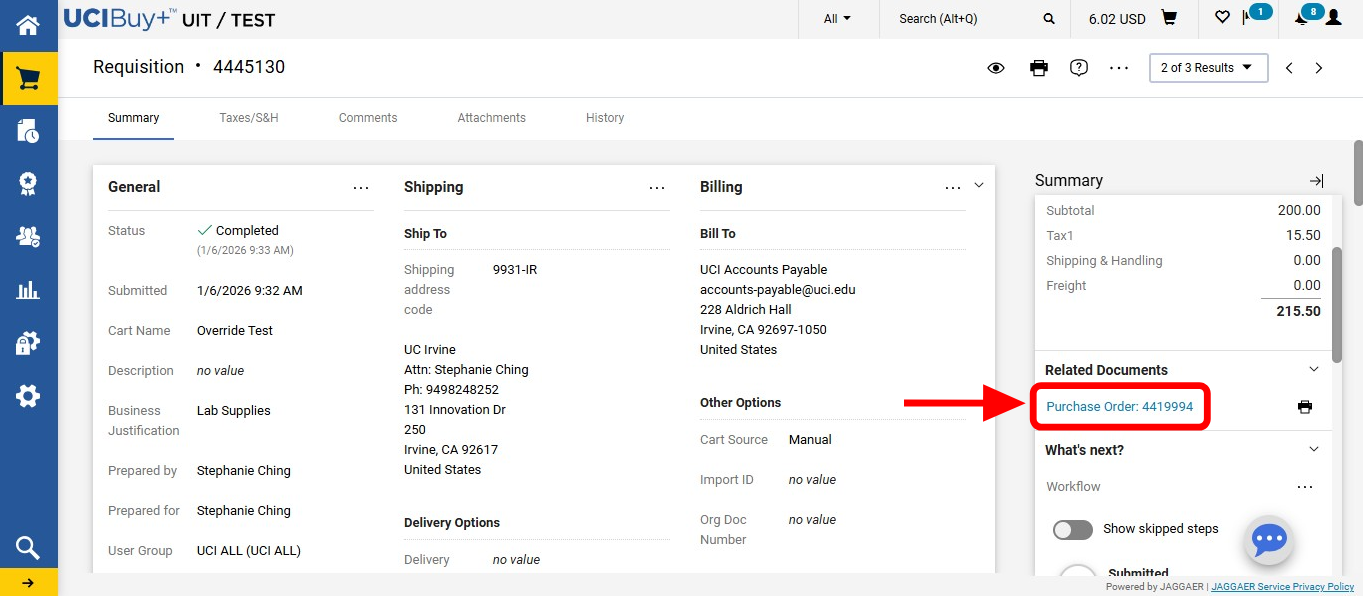
-
Checking Payment Status: You can check the status of a Purchase Order in KFS to see the payment and encumbrance status of the PO. See the instructions for Checking Payments in KFS for help.