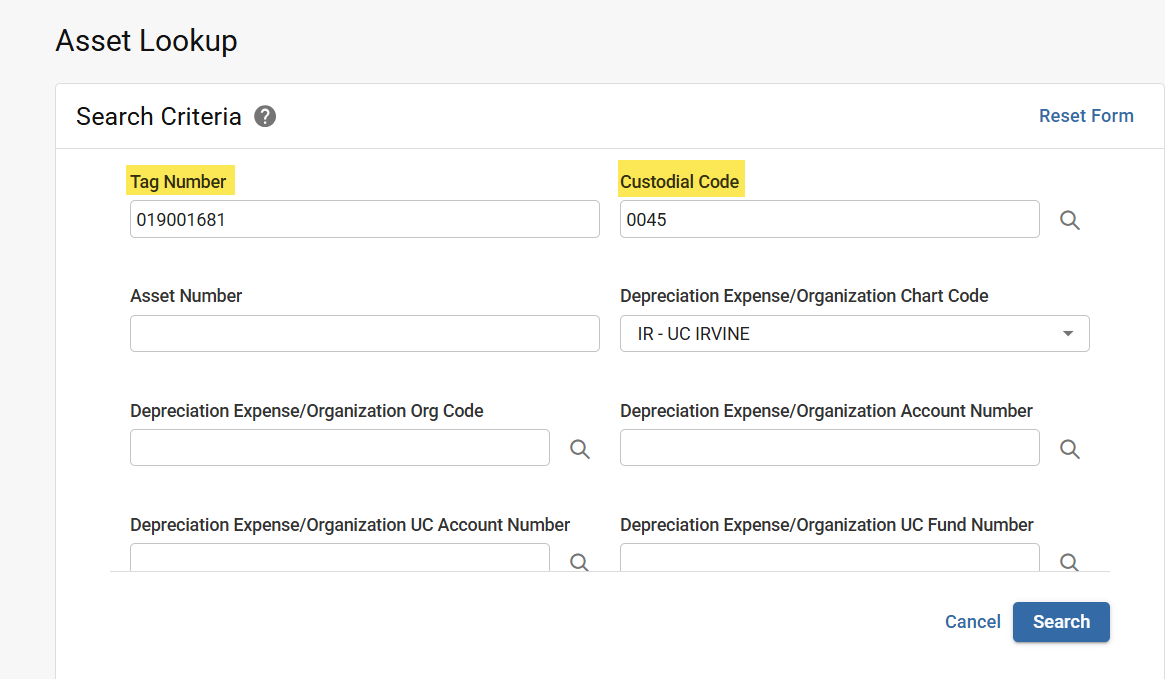
How to look up a Capital Asset in KFS
The Asset Lookup displays the details for Assets.
Equipment Management has Captial Asset training on Procument's training page.
How to Access
- Log in to ZotPortal and select the Finance Tab.
- If accessing from off-campus, make sure you are logged into the Software VPN.
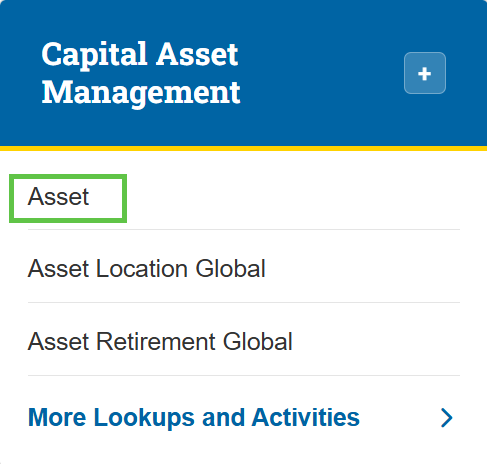
- Navigate to the Capital Asset Management section.
- Select Asset.

Tip: For step-by-step instructions with screenshots on how to access KFS from the KFS homepage and use the Jump To box (Ctrl+K / Cmd+K) for quick navigation, see the KFS Access Guide.
If you need help logging into the OIT Software VPN, or are unsure about your KFS access, see Accessing the Kuali Financial System. This page also helps you identify your Department Security Administrator (DSA), who can assist with access issues.
How to search
- If known, enter the Property Tag Number (barcode ID tag affixed to asset) in the Tag Number field.
- Enter a Custodial Code.